7 apps · iPhone and Android
Tool Cloud apps
take them on your phone
Edit a video, change a voice, clean up audio, make a picture, write down a note, or cut a ringtone. Seven apps, built for a phone.
// 01 / The apps //
One app for each job
Video, audio, pictures, notes and ringtones. Pick one and keep the work on your phone.
Video editor

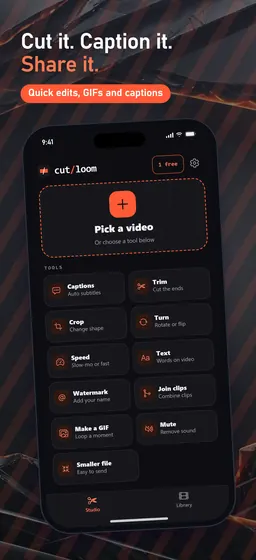
Cutloom
Video studio: auto captions, trim, crop, speed, text, join clips and GIFs.
- Captions: automatic subtitles for the speech in your video
- Trim: cut the start and the end
- Make a GIF: turn a moment into a looping GIF
- Smaller file: shrink a video so it sends more easily
Voice to text

Jotvox
Record or import audio, turn it into notes, then summarize or translate it.
- Record in the app, or import audio from Files or Photos (the sound of a video)
- Transcribe to notes, up to 60 minutes per recording
- Get a summary with the key points and action items
- Translate a note into another language
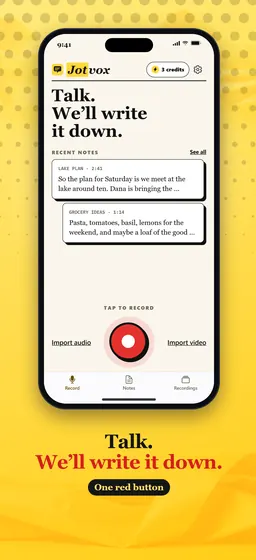
Photo and art

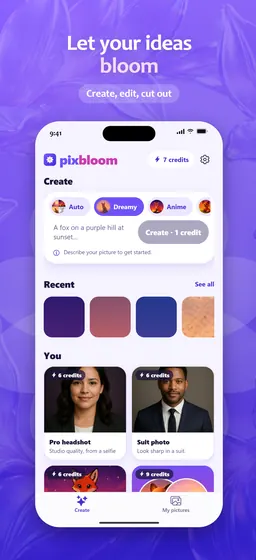
Pixbloom
AI pictures, pro headshots, avatars, old photo colorizing and background swaps.
- Create: make a picture from a prompt and choose a style
- Pro headshot: turn a selfie into a clean profile photo
- Avatars: make a cartoon or stylised version of yourself
- Background: replace it with a new scene, or remove it
Ringtone maker

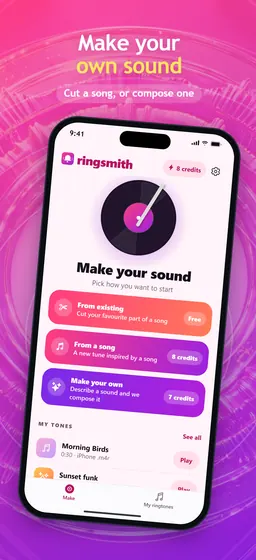
Ringsmith
Make ringtones from a song or file, or describe a sound and create your own.
- From existing: pick a song or an audio file, choose the part you want, add fades and save. Cropping your own file is free
- From a song: pick a song and get a new tune inspired by it. It is an original piece, not a copy
- Make your own: describe a sound in your own words, or start from one of 50 presets
- Step-by-step help to set a ringtone on iPhone, including the GarageBand route
Video converter

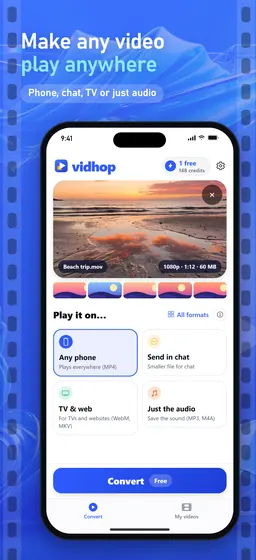
Vidhop
Video converter: MP4, MOV, WebM, MKV, GIF, MP3. Pick what it is for, then save.
- Convert between MP4, MOV, WebM, MKV and more
- Turn a clip into an animated GIF
- Take the sound out of a video as an MP3 file
- Compare sizes: see how much smaller the new file is
Voice changer
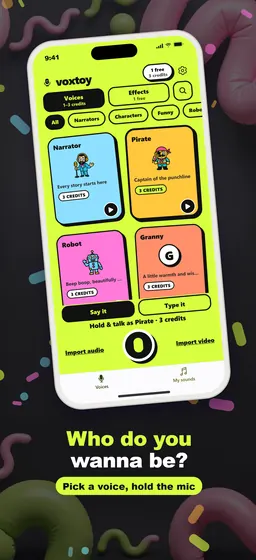
Voxtoy
Voice changer with 41 effects and 41 character voices. Hold to talk, then share.
- Voices come first: 41 character voices, from a pirate and a narrator to a wizard and a granny
- 41 effects: Robot, Chipmunk, Helium, Deep, Monster, Cave, Stadium, Underwater, Alien, Ghost, Echo and many more
- Hold to talk: record up to 60 seconds, or tap to start and stop
- Type it: write a line and a character reads it out
Audio converter
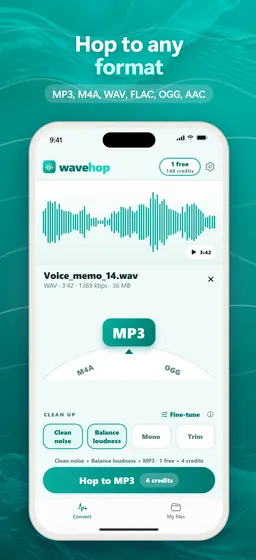
Wavehop
Audio converter: MP3, WAV, FLAC, M4A, OGG, AAC. Clean noise, balance loudness.
- Convert to MP3, WAV, FLAC, M4A, OGG or AAC
- Clean noise: reduce background hiss and hum
- Balance loudness so quiet and loud parts sit closer together
- Find recent conversions in History